Home › Features

Step 2 Ask the owner

Permission letters to landowners

Good hunting starts with permission. First Rise writes each landowner a letter asking permission, prints it with a reply card and mailing labels, and keeps track of who said yes.

Screens below are from the app; the current version may look a little different. Owner names and places are hidden.

Permission letters

Ask the landowner the right way

The best field is no good if you can't walk it. First Rise looks up who owns each field from the county's public records and writes them a friendly, respectful letter asking permission, with their name and mailing address already filled in.

Each letter says exactly what a visit involves: on foot only, no digging, no metal detectors, only after harvest, gates left as you found them. A reply card comes with it, so a "yes" is easy to send back.

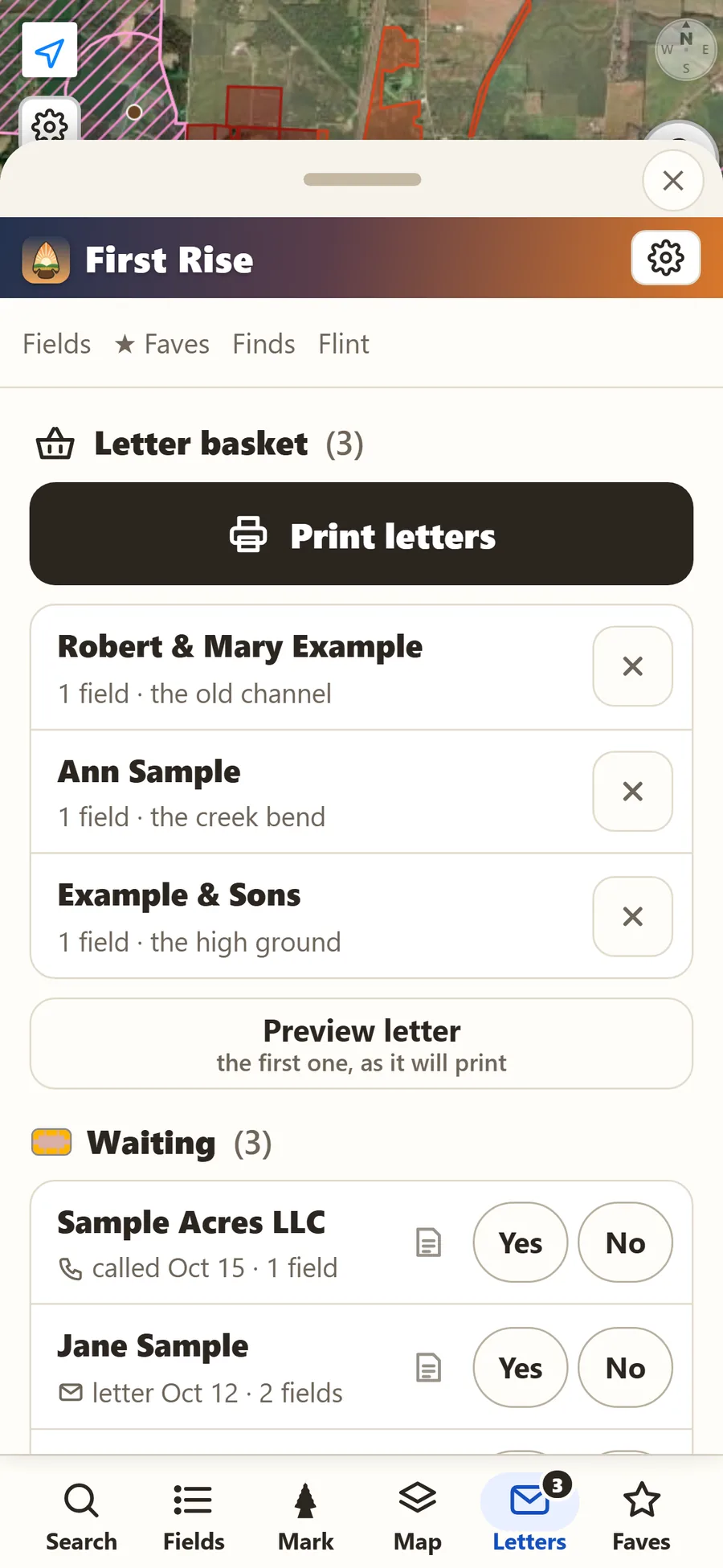
Tap "Send owner a letter" on any field to add it to your letter basket, preview the letter exactly as it will print, and print the whole batch with mailing and return-address labels. Make the letter your own, or add an offer to pay for access.

Printing letters is part of First Rise Pro ($34.99 a year) and starts as soon as you subscribe - you can subscribe during the 7-day free trial. Before then, you can preview your letters exactly as they will print.

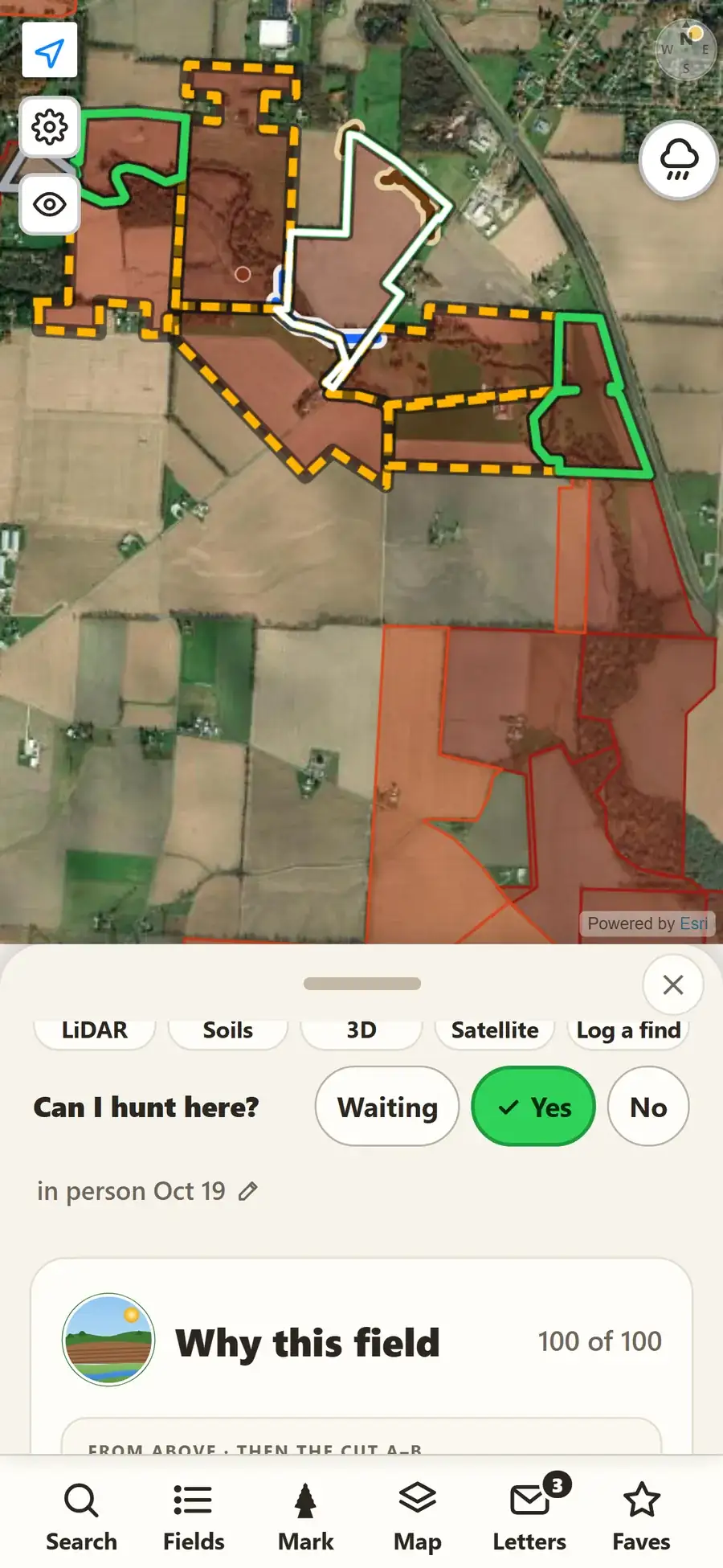
Then track the answers. Every field shows "Can I hunt here?" with Waiting, Yes or No, and the map outlines your fields in yellow, green or gray, so you can see at a glance where you're welcome. Printed letters are marked Waiting for you, and permission you get in person or by phone goes on the map the same way.
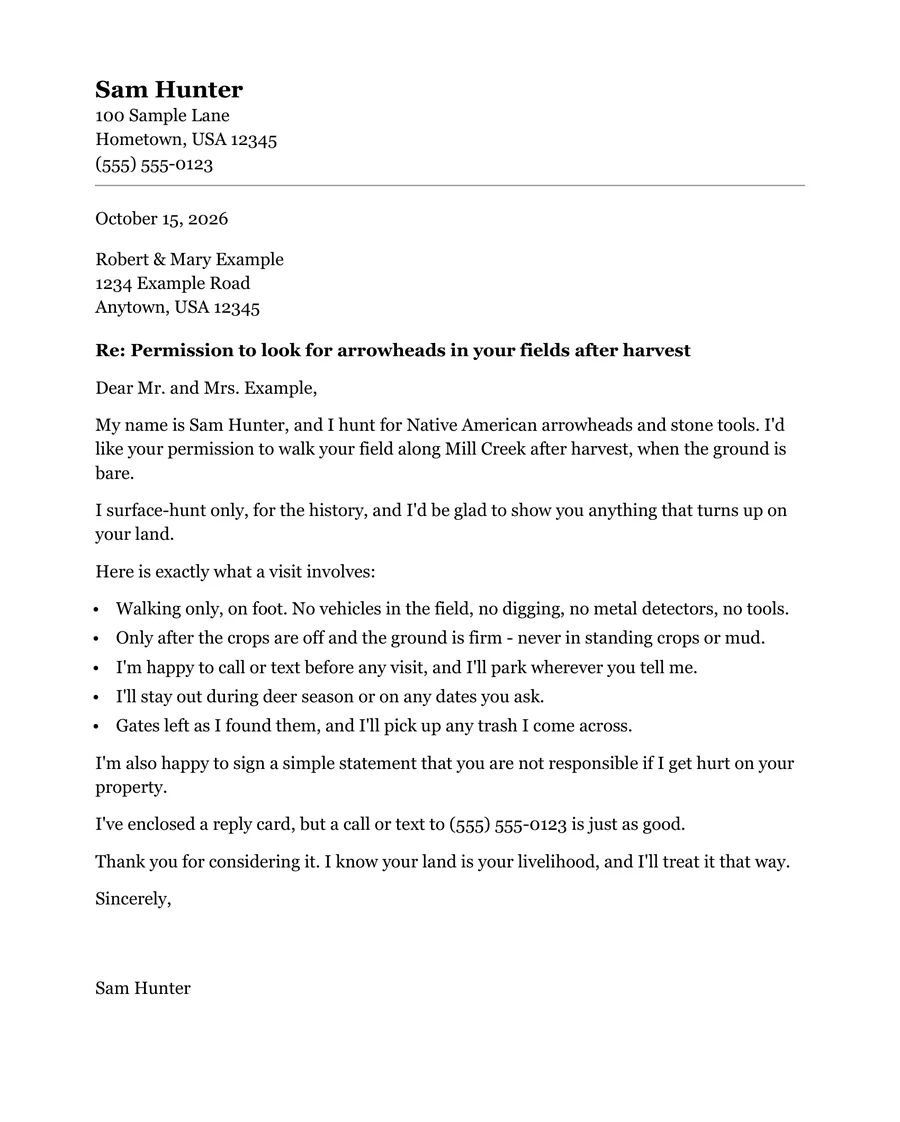
A sample permission letter to a landowner asking to walk their field along a creek after harvest, listing what a visit involves: walking only, no digging or metal detectors, only after the crops are off, gates left as found.
The letter, ready to sign and mail. (Names here are made up.)
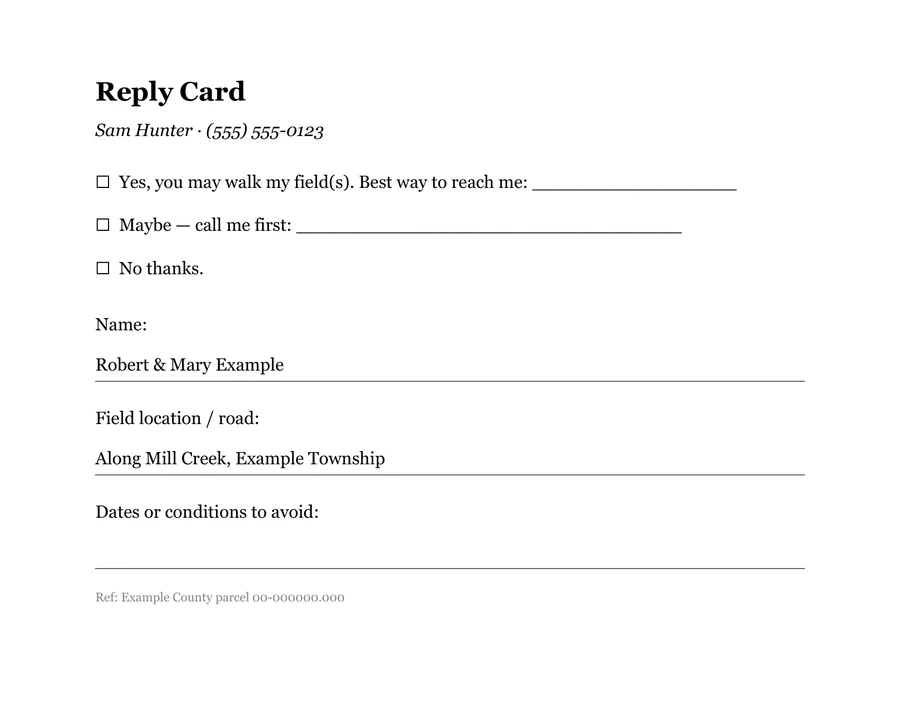
The reply card that goes with the letter: yes, maybe or no thanks, with the landowner's name and field filled in.
The reply card, filled in for each owner.
The Letters screen: a letter basket with three landowners, a Print letters button and Preview letter, and below it the owners already asked, marked Waiting with Yes and No buttons. The names are made up.
The letter basket. Print the batch, and the owners move to Waiting.
A field's page showing Can I hunt here? with Waiting, Yes and No, Yes picked and asked in person, over a map with fields outlined in green for yes, dashed yellow for waiting and gray for no.
Can I hunt here? Green for yes, yellow for waiting, gray for no.

Swipe to see all four.